
IZArc
Free archive manager supporting 50+ formats with encryption, repair, and conversion capabilities.

IZArc — Key Facts
- Latest Version
- 4.6
- License
- Free
- Platforms
- Windows
- Category
- Archivers
- Price
- Free to download
- Official Site
- www.izarc.org
- User Rating
- ★ 4.5 / 5 (841 ratings)
- Tags
- free, portable, lightweight, windows
IZArc Screenshots
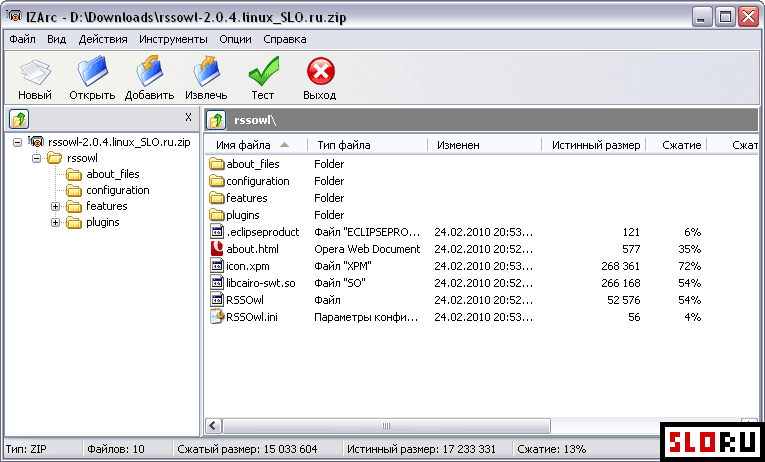
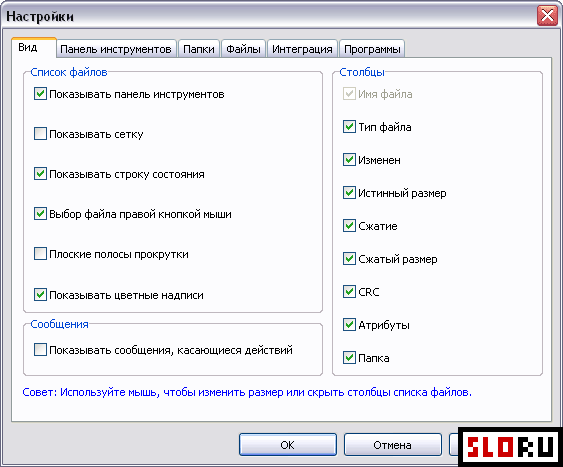
About IZArc
IZArc is a free archive utility that provides comprehensive support for managing compressed files across multiple formats. The application handles 7-ZIP, RAR, ZIP, TAR, ISO, and over 40 additional archive types. Users can extract, create, and convert archives without licensing restrictions. The software integrates directly into Windows context menus for quick access. Built-in encryption protects sensitive data. Archive repair functionality recovers corrupted files. Self-extracting archive creation eliminates extraction requirements for recipients.
The program's feature set extends beyond basic compression operations. Multi-volume archive creation divides large files into manageable segments. Archive merging reassembles split files automatically. Comment support adds metadata to archives. Archive search identifies files by selected formats. Disk image compatibility includes CDI, NRG, MDF, and IMG formats. The interface balances simplicity with functionality, making Archivers tasks accessible to users of varying technical skill levels. Windows integration ensures native compatibility with the operating system.
IZArc version 4.6 delivers stable performance for routine archiving workflows. The utility operates as Free software, requiring no payment or registration. No advertisements interrupt usage. The application occupies minimal disk space, making it suitable for systems with limited storage. Archive conversion between formats occurs without quality loss. Format support includes legacy standards like ARJ, ACE, and HA alongside modern compression methods like 7-ZIP and BZ2. The software handles JAR, WAR, and DEB archives for developers working with Java and Linux environments.
Downloading IZArc provides immediate access to professional-grade compression tools without premium costs. The Free utility suits home users, small businesses, and enterprise environments equally. Batch operations process multiple archives efficiently. Password protection secures archives with encryption. The application updates remain available at no cost. Windows users seeking reliable archive management find complete functionality within a single lightweight application.
IZArc is a free archivers available for Windows. Browse more free software or portable programs.