
XMPlay
Lightweight audio player with plugin support, weighing just 322 KB and requiring no installation.

XMPlay — Key Facts
- Latest Version
- 4.1
- License
- Free
- Platforms
- Windows
- Category
- Audio Players
- Price
- Free to download
- Official Site
- www.un4seen.com
- User Rating
- ★ 4.4 / 5 (755 ratings)
- Tags
- free, portable, lightweight, windows, offline
XMPlay Screenshots
About XMPlay
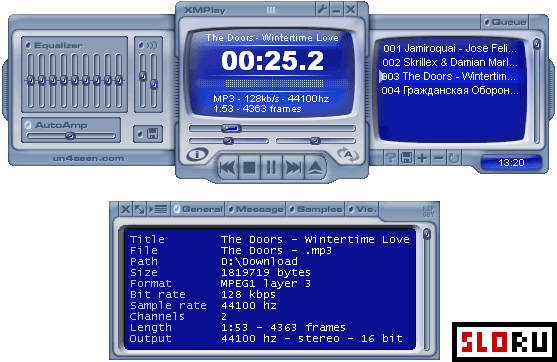
XMPlay is a compact audio player designed for users who prefer customization over convenience. The application weighs only 322 KB and operates as a portable executable, eliminating installation requirements entirely. Created over 16 years of continuous development, XMPlay delivers excellent sound quality while maintaining an exceptionally small footprint. The player functions effectively in its base configuration, though advanced users often extend its capabilities through a comprehensive plugin system available for download.
The audio player provides support for most popular audio formats in its default state, including MP3, OGG, FLAC, and numerous other codecs. Additional functionality can be added via plugins, allowing users to customize the application according to specific needs. Sound output is handled with professional-grade precision, making XMPlay suitable for audiophiles and casual listeners alike. The application is categorized within Audio Players and operates exclusively on Windows, where it functions reliably across modern and legacy systems.
The user interface of XMPlay reflects its retro design philosophy, featuring a skin that has remained largely unchanged throughout the application's development history. This dated appearance may discourage casual users accustomed to modern interface conventions, though alternative skins are available for those seeking a different visual aesthetic. The application targets experienced users who value functionality and control over contemporary design trends. For those seeking Free audio solutions, XMPlay remains a powerful option that prioritizes performance and flexibility over visual appeal. Users comfortable with manual configuration will find the application rewarding; newcomers may prefer more intuitive alternatives within the Audio Players category.
XMPlay operates as a Free tool available for immediate download. The application requires minimal system resources, making it suitable for older hardware or computers with limited storage capacity. No registration, licensing keys, or paid upgrades exist—the player remains completely free to use indefinitely.
XMPlay is a free audio players available for Windows. Browse more free software or portable programs.