
Microsoft Security Essentials
Free antivirus software from Microsoft protecting against viruses, spyware, and malware threats.

Microsoft Security Essentials — Key Facts
- Latest Version
- 4.10.209.0
- License
- Free
- Platforms
- Windows
- Category
- Antivirus & Security
- Price
- Free to download
- Official Site
- www.microsoft.com
- User Rating
- ★ 4.8 / 5 (864 ratings)
- Tags
- free, lightweight, windows, offline
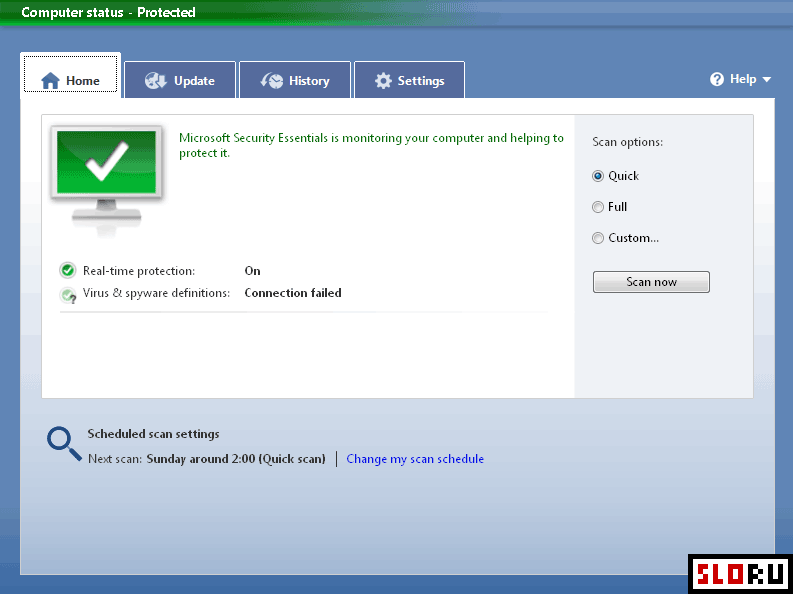
Microsoft Security Essentials Screenshots
About Microsoft Security Essentials
Microsoft Security Essentials represents a dedicated antivirus solution developed by Microsoft for home users. The application was designed as a successor to Windows Live OneCare, which received mixed reviews in antivirus performance rankings. Security Essentials has established a more favorable reputation, earning recognition among users seeking cost-effective protection. The software provides comprehensive defense against viruses, spyware, and other malicious programs that threaten system security. Regular updates are delivered through Windows Update, ensuring the virus definitions remain current without requiring manual intervention. The interface has been engineered for simplicity and accessibility. Even inexperienced users navigate the application's controls with minimal difficulty. Configuration and scanning operations are presented in straightforward menus, reducing the learning curve typically associated with security software. No complex settings obstruct basic protection features. The application works silently in the background, performing scheduled scans without demanding user attention. Real-time scanning monitors file activity continuously, blocking threats before they execute. Distribution occurs entirely at no cost to end users. Microsoft provides Security Essentials as a free utility for systems, eliminating financial barriers to obtaining essential protection. However, a critical limitation exists: the software verifies Windows licensing status during installation. Users operating unlicensed versions of Windows cannot activate or use the application. This requirement ensures compliance with Microsoft's licensing agreements. Legitimate Windows installations unlock full functionality immediately upon download and installation. The application fits within the category, occupying space alongside other protection tools in the market. Performance impact remains minimal on system resources. Background operations consume modest CPU and memory allocations, preserving computer responsiveness. This makes Security Essentials suitable for older hardware with limited specifications. Users requiring additional features should explore alternative solutions, though Security Essentials provides solid foundational protection for standard computing tasks. The distribution model combines accessibility with legitimate threat detection capabilities.
Microsoft Security Essentials is a free antivirus & security available for Windows. Browse more free software or lightweight programs.
Frequently Asked Questions
Similar Software to Microsoft Security Essentials
Compare Microsoft Security Essentials With Alternatives
Microsoft Security Essentials Guides & Tutorials
- microsoft security essentials free download
- microsoft security essentials not working
- microsoft security essentials update not working
- microsoft security essentials windows 7 alternative
- microsoft security essentials alternative
- microsoft security essentials replacement
- microsoft security essentials vs windows defender windows 7
- microsoft security essentials or windows defender