
PeaZip
Free archive manager supporting 188+ formats with encryption and conversion tools for Windows.

PeaZip — Key Facts
- Latest Version
- 10.6.0
- License
- Free
- Platforms
- Windows
- Category
- Archivers
- Price
- Free to download
- Official Site
- peazip.github.io
- User Rating
- ★ 4.8 / 5 (274 ratings)
- Tags
- free, open-source, portable, lightweight, windows
PeaZip Screenshots
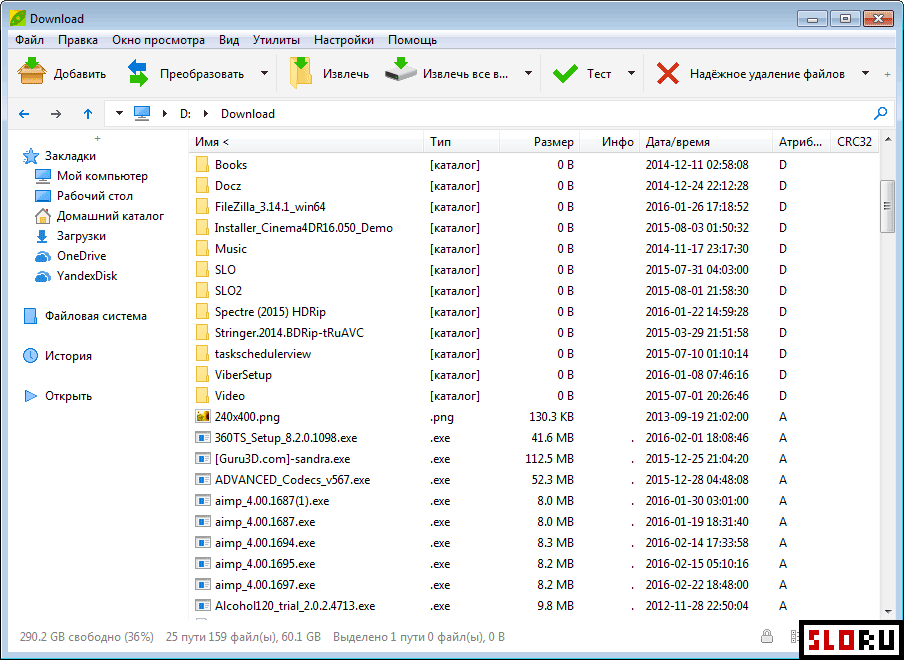
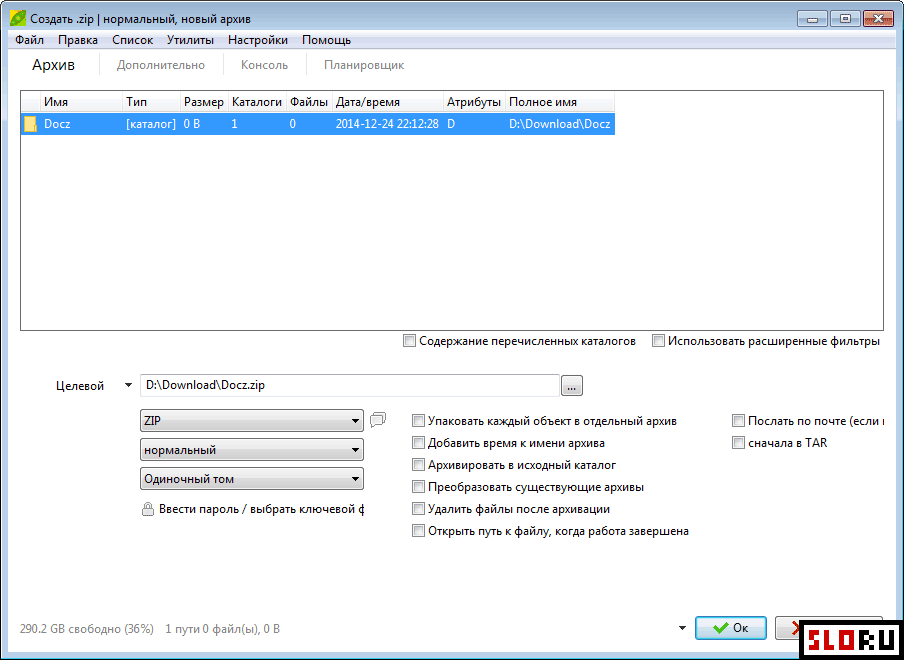
About PeaZip
PeaZip is a free archive manager that handles everything you need for file compression and extraction. Looking for a player that manages multiple archive formats? This powerful tool supports over 188 different archive formats, making it essential for anyone working with compressed files regularly. Whether you're extracting RAR files, creating ZIP archives, or converting between formats, PeaZip delivers professional-grade features without cost. The program is completely free and available as open-source code, giving you full transparency and control. The software excels at handling diverse compression methods and archive types. PeaZip creates archives in 7Z, ARC, BZ2, GZ, PAQ, PEA, QUAD/BALZ, TAR, UPX, WIM, XZ, and ZIP formats. Beyond creation, it can extract from 200+ different archive formats and file extensions. Full support for popular formats like ZIP, RAR, and 7Z comes standard. This makes PeaZip a comprehensive solution for tasks, outperforming limited built-in tools on . Convenience and power merge in PeaZip's feature set. Archive encryption protects sensitive files with strong security. Format conversion capabilities let you transform archives between different standards without extracting and recompressing. Extensive customization options cater to both beginners and advanced users. Despite its power, the interface remains intuitive and easy to learn. No technical expertise required. software means zero hidden costs or restrictions. PeaZip stands out as the ideal choice for managing your archive needs efficiently. Download this tool today and simplify your file compression workflow. The open-source nature ensures continuous development and community support. Users appreciate the straightforward approach combined with professional capabilities. Make PeaZip your default archive manager and experience the difference quality software makes.
PeaZip is a free archivers available for Windows. Browse more free software or open source programs.