
File Converter
Free open-source file converter supporting video, audio, images, and documents via context menu.

File Converter — Key Facts
- Latest Version
- 2.1
- License
- Free
- Platforms
- Windows
- Category
- Converters
- Price
- Free to download
- Official Site
- file-converter.io
- User Rating
- ★ 4.3 / 5 (575 ratings)
- Tags
- free, open-source, portable, lightweight, windows
File Converter Screenshots
About File Converter
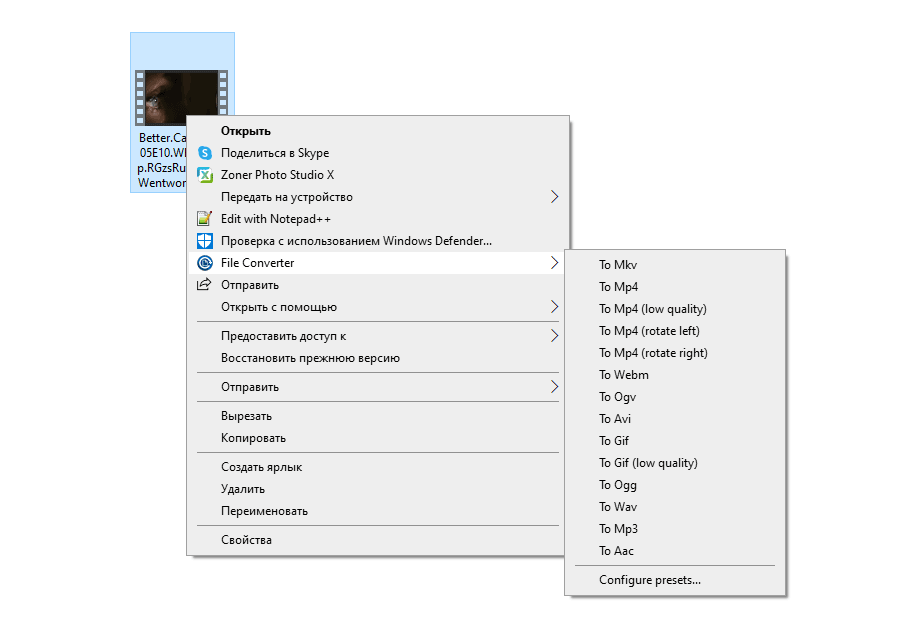
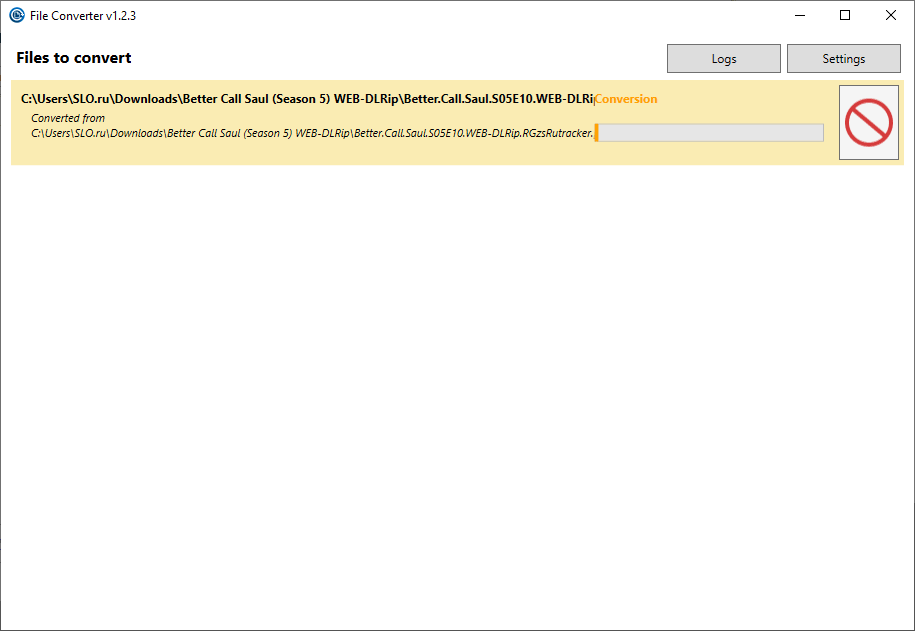
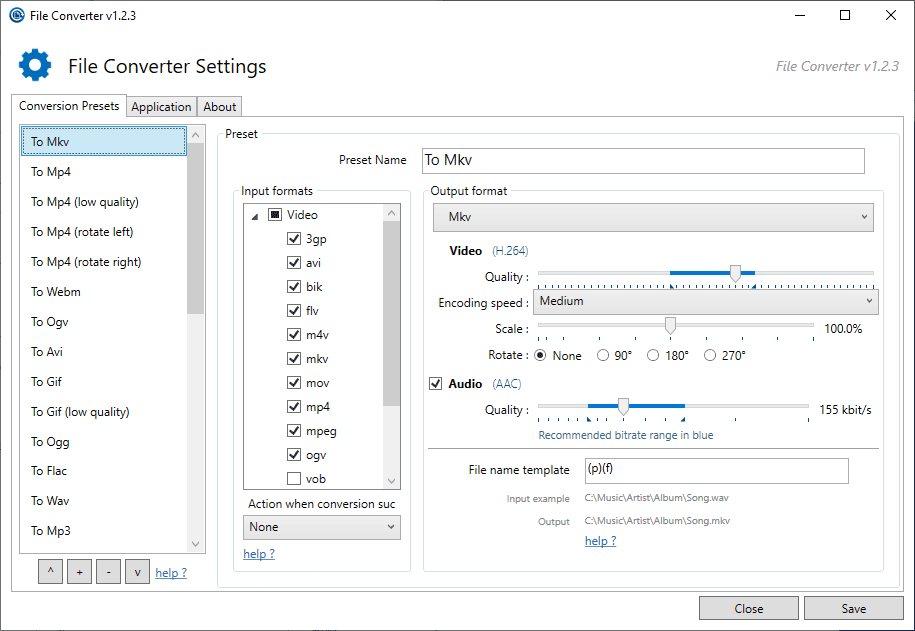
File Converter is a straightforward utility designed for converting media files directly from the Windows context menu. The application supports video, audio, image, and document formats through an intuitive interface that requires minimal user interaction. Installation integrates a dedicated context menu entry into the operating system, allowing rapid file transformation with just a few clicks. Both individual files and batch conversions are supported, making the tool efficient for users handling multiple assets simultaneously. The conversion workflow remains consistent across all supported formats. Users select their source file, choose the desired output format from the context menu, and a progress window appears displaying real-time conversion status. The application belongs to the category and is available as software with open-source code. No registration, subscriptions, or hidden costs are required. systems gain access to this context menu integration immediately after installation, eliminating the need to launch separate applications. Beyond basic conversion functionality, File Converter provides extensive customization options for advanced users. Quality settings, conversion speed parameters, and output filename templates can be adjusted according to specific requirements. The application's apparent simplicity masks a capable feature set designed to handle both standard conversions and specialized processing tasks. These configuration options remain accessible without overwhelming the primary user experience, maintaining the tool's reputation for straightforward operation. The and nature of this utility makes it an accessible choice for users seeking file conversion without licensing constraints. Integration with the operating system's native context menu eliminates workflow disruption, as conversions initiate from the same location where files are managed. Whether processing single documents or large batches, the application delivers consistent performance across supported formats.
File Converter is a free converters available for Windows. Browse more free software or open source programs.